Beau Productions LLC
http://www.beauproductions.com
Thank You

for your help and support
Your free downloads are located below! Enjoy

Important - Please Read

For The Best Viewing Of Programs

Although our programs can be viewed at any screen resolution they are best viewed for eye appeal with the following settings. All our programs were intended to be best viewed with 1024x768 screen resolution. Also set all Internet Explorer browser settings to default settings and text size to medium. This will give the best eye appeal when viewing and presenting to others.

Thanks again and we hope you enjoy the programs. A lot of time, research and programing was put into all of our electronic ebook programs.

Windows Media Player

Our multimedia programs require Windows Media Player 9.0 or higher. You can download the latest update (Free) of WMP from Golf Swings web site or Microsoft's web site.

If the unlikely chance any of the videos within the programs do not play open Windows Media Player - click on tools - click on options - click file types or formats - click select all - click apply and ok. This will make Windows Media Player your default viewer for multimedia files.

Upgrade to Windows Media Player version 9 or later. This will bring your computer completely up to date with Microsoft's Windows media viewer. The latest version of Windows Media Player is available from Microsoft's web site.


If you need any assistance with your program please contact
Ray Beaufait at Beau Productions
EMAIL Address: beau1943@beauproductions.com

Downloads Here

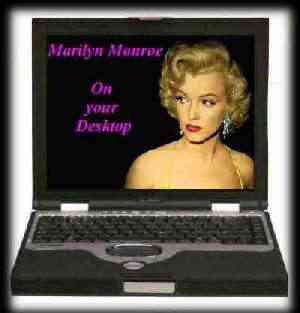
The Marilyn Monroe ebook program has been discontinued. You may download the screen saver below.

Click here to download your Marilyn Monroe screen saver. After downloading follow the instructions to install your screen saver. If needed The registration code for the screen saver is MMMM.

Please read this complete page for instructions while downloading your files..

All programs are virus checked and protected.


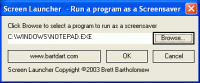
Screen Saver Launcher lets you choose any of our digital programs to run as a screensaver. To install, download to a directory of your choice, simply unzip, right-click and click Install on the context menu. You can then use Screen Saver Launcher just like any other Windows screensaver. Go to your display properties and click on the screen savers tab and then select screen saver launcher as your saver. Then click on settings. To open any files type the path to your file as a parameter. An example for displaying any of Beau Productions - Golf Swings programs would be c:\folder or directory you placed BP - Golf Swings programs in/tigerwoods.exe or better yet just use browse to find the file of your choice.
Click here to Download and take advantage of any of our programs as a screensaver.


If you appreciate this program and our web site please consider a purchase of one of our downloads to help support Beau Productions - Golf Swings Web Site. See Below...

As you can imagine a lot of time, money and effort is dedicated to the creation and maintenance of this site and our downloads. Our only income is from your donations and the sell of our downloads. If you enjoyed our Web Site and downloads and you believe it has redeeming value to the Internet and our visitors please consider a purchase of the program below to help support the continuation of Beau Productions - Golf Swings web sites.

300YardDrives.com


HOW TO HIT IT LONGER!
Immediate Viewing - No Waiting - View Instantly

Discover how to achieve gains of up to 30 yards or more without adding expensive equipment (New Driver etc.), taking expensive golf lessons or going on a strenuous weight lifting or exercise program!


DO YOU WANT TO HIT IT LONGER?
MOST ALL GOLFERS WANT
TO HIT IT 300 YARDS OR MORE!
INTERESTED? CLICK HERE FOR MORE INFORMATION!